
Back

Oodrive Meet

Designing a board meeting management tool — desktop for executive assistants who prepare the meetings, tablet and mobile for the board members who attend them.

PRODUCT DESIGNUXBTOB
Oodrive Meet

Context

Oodrive Meet is a board meeting management tool used by large European groups to organise their governance bodies — boards of directors and committees. As Product Designer, I designed the product end to end for its two primary personas: the executive assistant who prepares and runs the meetings from desktop, and the board member who attends them on an iPad or Android tablet.

My role covered research, interaction and visual design across both surfaces, and a usability testing programme with executive assistants who use the tool every week.

Two personas, two surfaces

The product had to serve two very different jobs at the same time. The executive assistant needed a fast, repeatable way to build meetings and load documents on a busy desktop workflow. The board member needed a quiet reading and annotation experience on a tablet, often from a hotel room or a train.

Both personas were built from interviews with real users at large European groups.

Portrait of Nathalie, Executive Assistant

Nathalie

52

EXECUTIVE ASSISTANT

It's quite stressful when you send the invitation to the board members. I often update the meeting with new documents arriving late.

Organises the governance bodies of a large group. Prepares convocations, deposits documents in the library once validated, maps each one to the right agenda item, and chases late responses by email or phone.

NEEDS

  • Create the meeting on Teams and Oodrive Meet in a single step
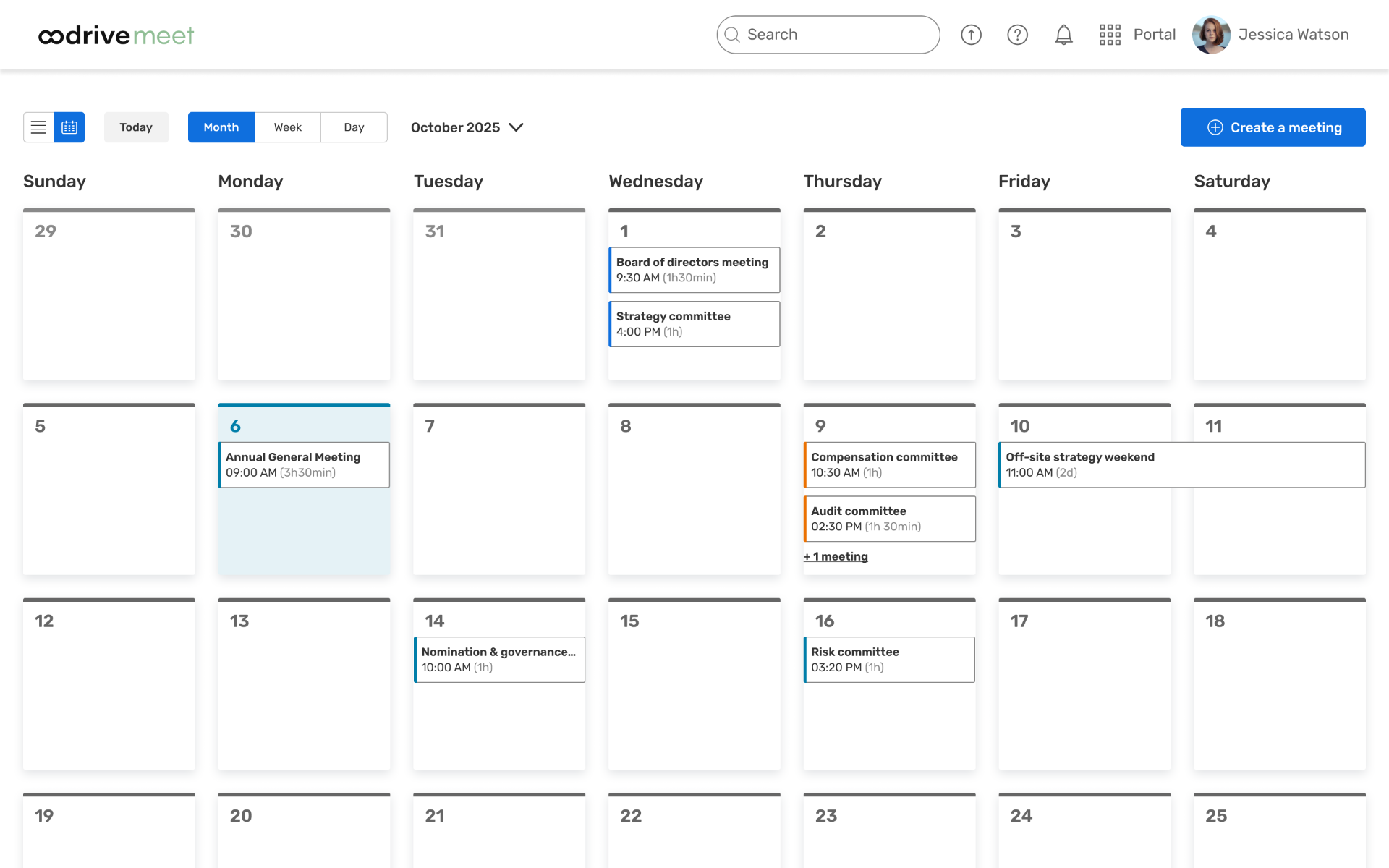
  • Clone existing meetings and manage recurrence with the calendar
  • Limit the number of manipulations when adding documents
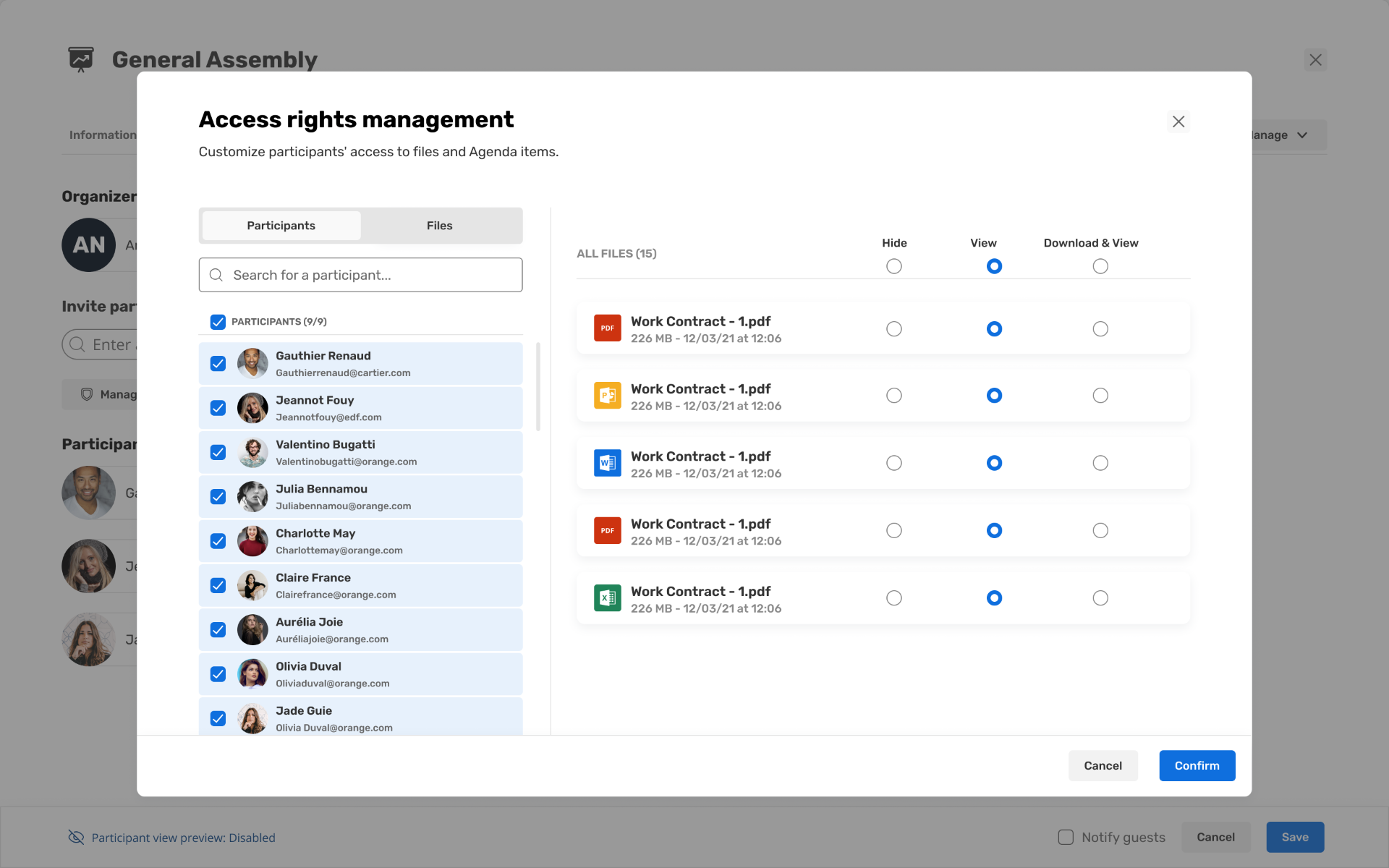
  • Preview exactly what each board member will see

PAIN POINTS

  • Explaining the tool to people not comfortable with digital
  • Can't edit participants' responses — has to keep a separate Excel sheet
  • Managing leadership's frustration when there's a technical hiccup

Portrait of Philippe, Board Member

Philippe

53

BOARD MEMBER

I need to focus on my mission on the Board, without having to search for documents or worry about the technical side of accessing them.

Member of the board of directors of a large European group. Reads and annotates documents on an iPad before each meeting, and follows the meeting itself by video. Around ten meetings a year, often while travelling.

NEEDS

  • Get all documents far enough in advance to study them
  • Access documents from anywhere, on tablet or mobile
  • Take notes and annotate easily from the documents
  • Responsive support if something goes wrong

PAIN POINTS

  • Receives a lot of emails — significant information loss
  • Sits on several boards and often mixes up logins
  • Not always comfortable with digital tools or unstable connections

Desktop — Executive Assistant

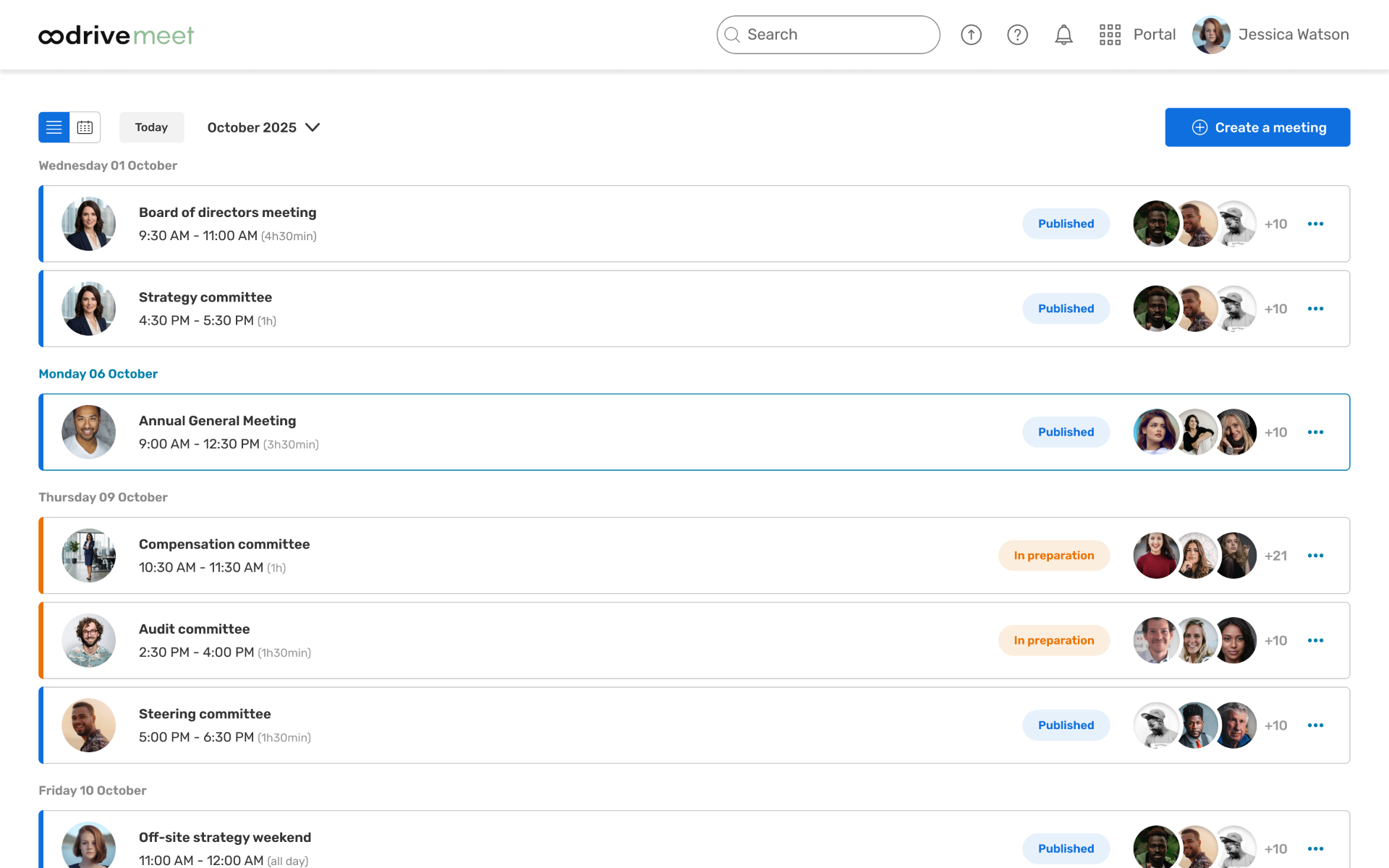
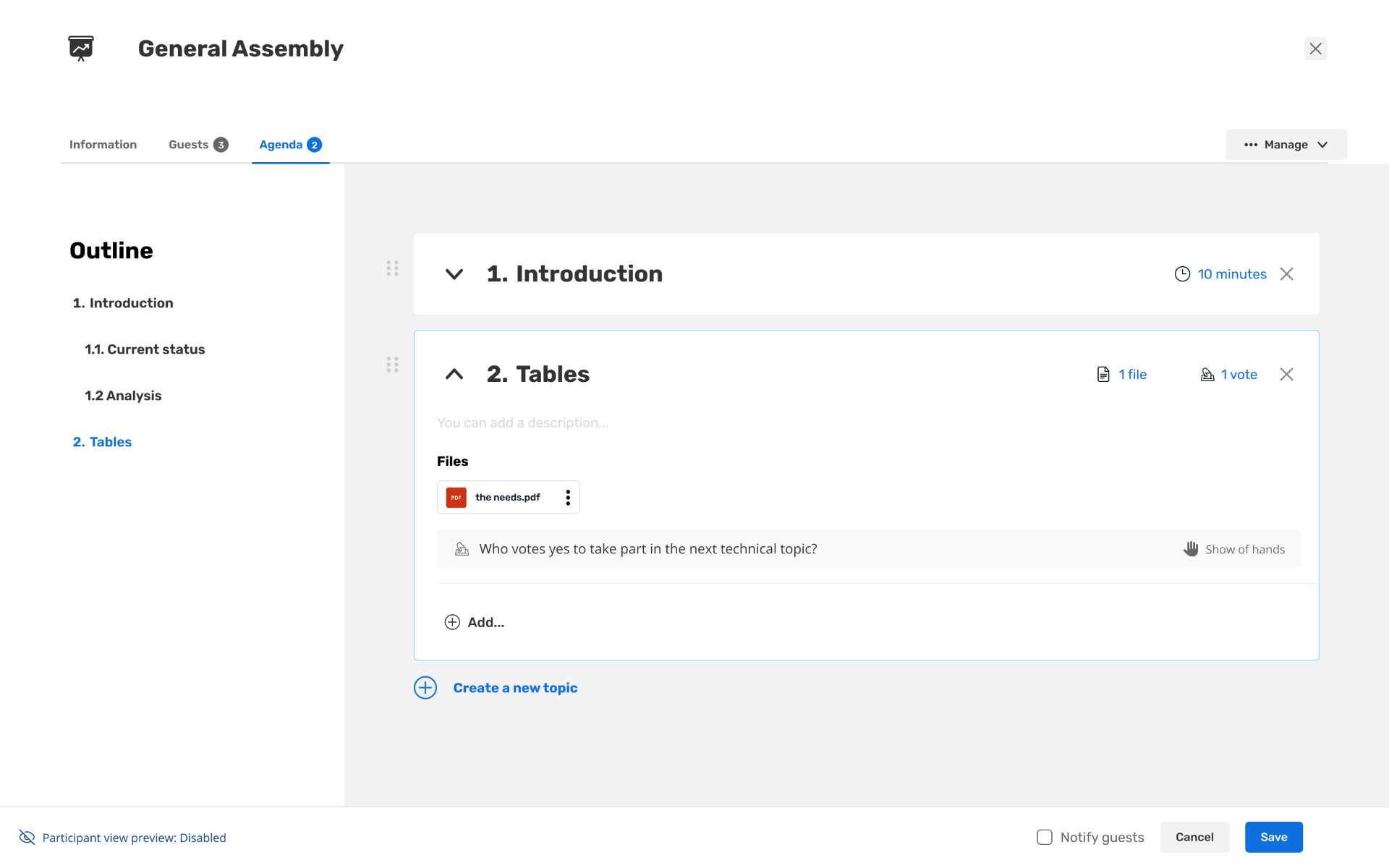
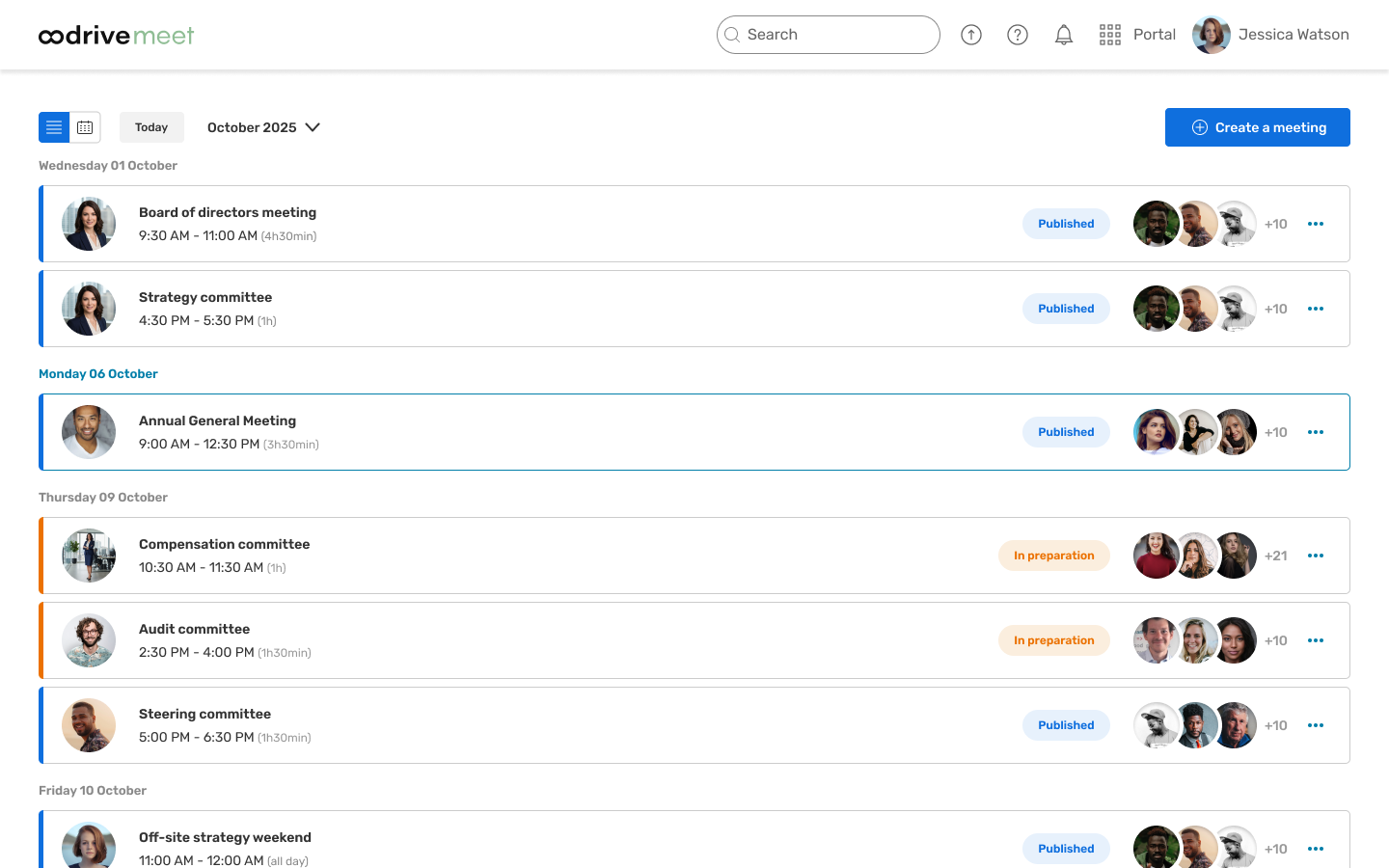
On desktop, Oodrive Meet is a meeting workshop. Nathalie builds a board meeting in a few steps — invite the participants, drop documents into the library, map each one to the right agenda item, set per-participant access rights, and publish the convocation. Recurrence, cloning, and a participant-view preview cut the most repetitive parts of her week.

Oodrive Meet desktop — meetings list view
Oodrive Meet desktop — meetings calendar view
Oodrive Meet desktop — access rights management
Oodrive Meet desktop — meeting agenda with files and votes

Tablet & mobile — Board members

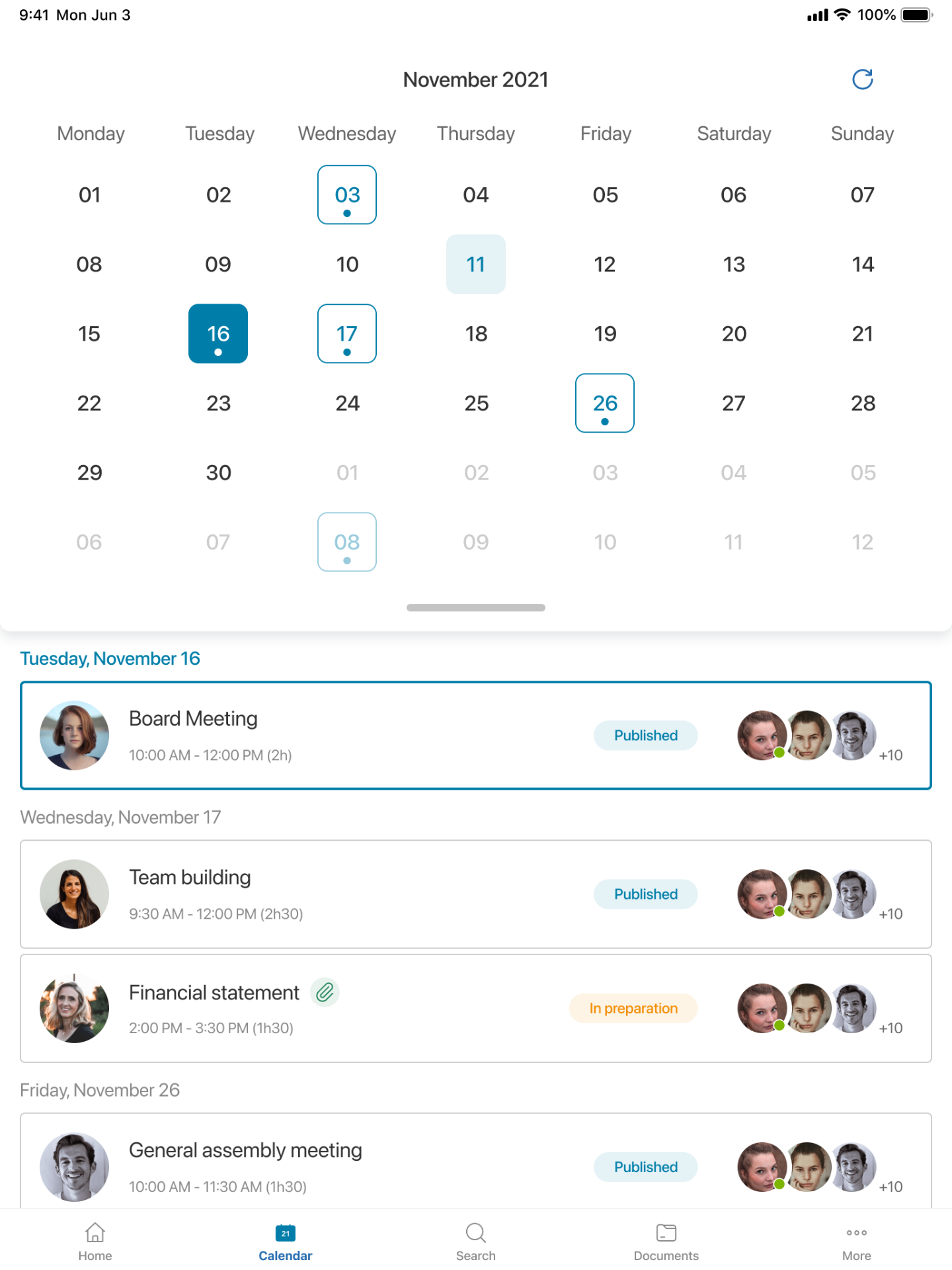
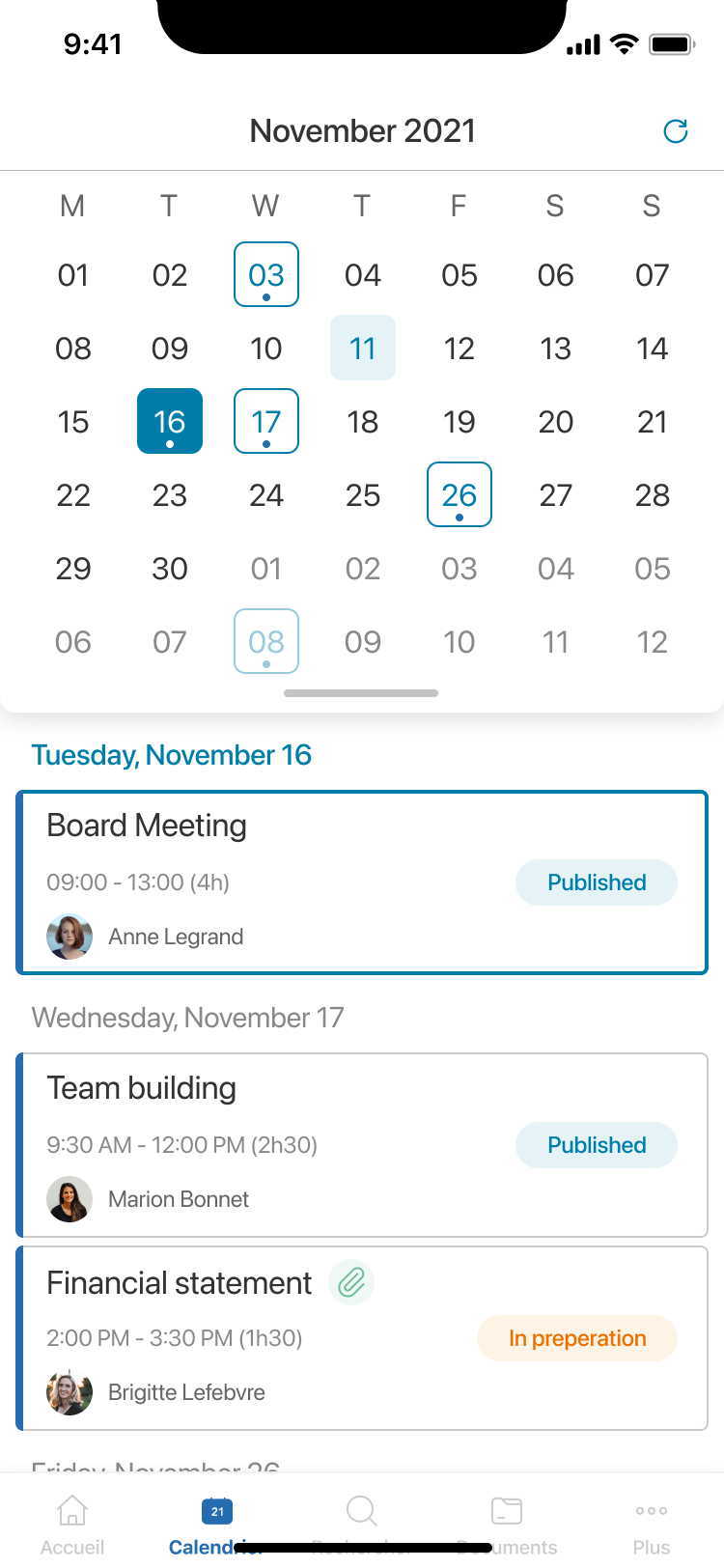
On tablet, the same meeting becomes a quiet reading surface. Philippe opens his agenda, taps into a document, and annotates it with the keyboard or a stylus. The mobile companion gives him the same agenda and notifications on the go, so he never has to search across emails for the right file.

Oodrive Meet tablet — calendar view with upcoming meetings
Oodrive Meet mobile — calendar view with upcoming meetings

Usability testing with executive assistants

I ran usability sessions with a dozen executive assistants actively using Oodrive Meet — from large groups headquartered in Paris to mid-size companies in the regions. Each session walked through the real tasks that fill their week: creating a board meeting, loading late documents, mapping them to the agenda, sending the convocation, and following up with participants.

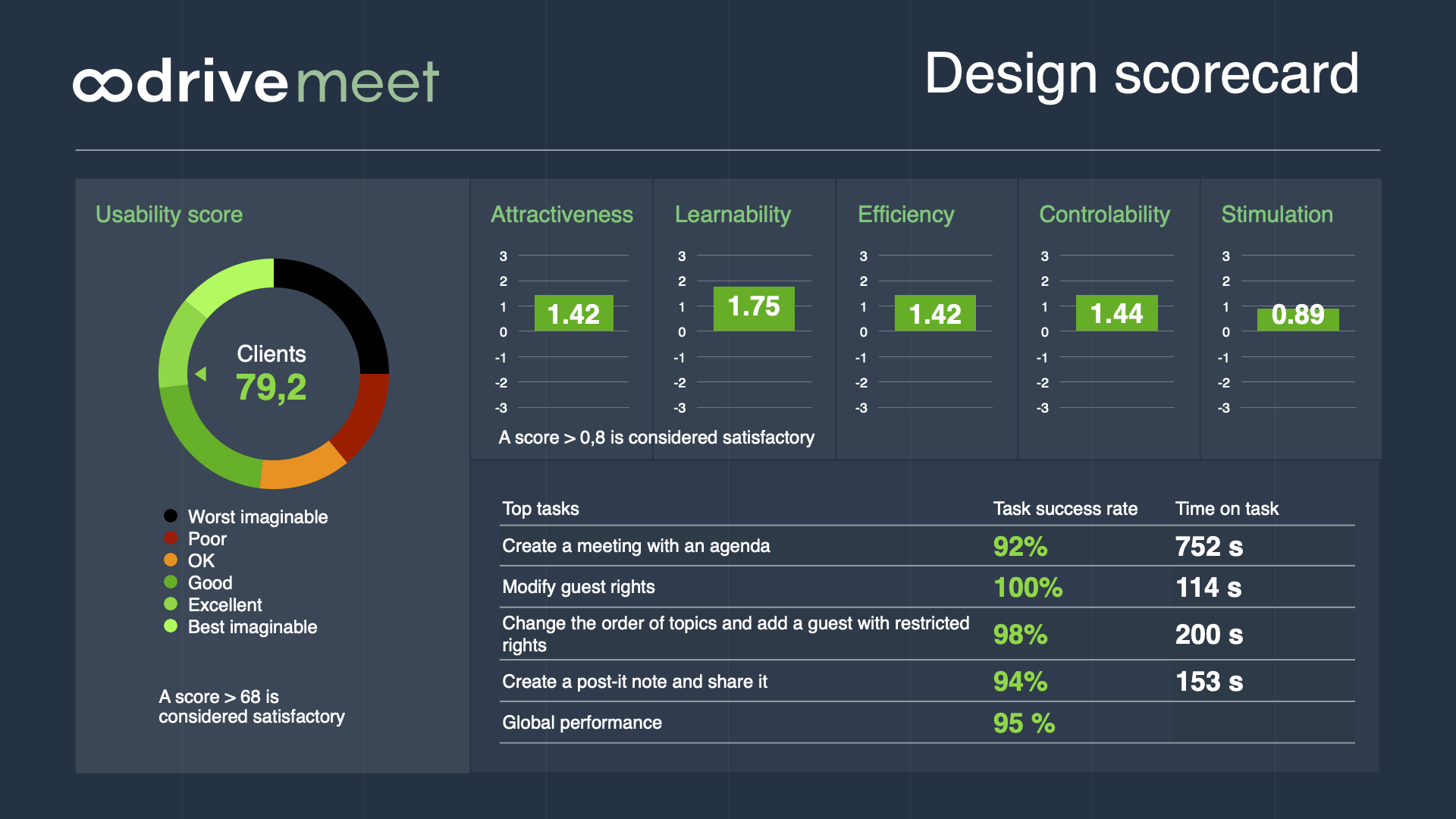
Findings were consolidated into a design scorecard rating the product across six UX dimensions — attractiveness, learnability, efficiency, controllability, stimulation, and an overall usability score — alongside a breakdown of the top tasks that fill an executive assistant's week. The scorecard then drove the next round of desktop improvements: one-step meeting creation, clearer notification previews, and a less ambiguous participant-response model.

Oodrive Meet design scorecard — usability score, attractiveness, learnability, efficiency, controllability, stimulation and top task results
CONTACT

Have something to ship?

Currently booking projects for next quarter. Tell me about the product, the stage, and what "done" looks like.

© 2026 Refraish
Legal notice